
 Best Platforms
 Live Odds








Oddpool vs EventQuant for cross-platform prediction market scanning
A clear comparison of Oddpool vs EventQuant for cross-platform prediction market scanning — evaluate coverage/freshness, discovery and trending, filtering/navigation, comparison workflows, and power-user features so you can pick the right scanner (and know when a third option like MarketsPrediction is a better fit).
Trying to scan prediction markets across multiple platforms can feel like chasing moving targets: the same event listed differently, prices shifting, and liquidity scattered.
This comparison breaks down how Oddpool and EventQuant approach cross-platform discovery, filtering, and workflow—so you can decide which tool fits your scanning style. You’ll also see what “good scanning” looks like in practice (signals, pain points, and tasks), plus when it’s worth considering a third option like MarketsPrediction for live odds aggregation and quick platform-to-platform comparison.
Decision Snapshot
Cross-platform scanning means you check multiple prediction platforms for the same event, fast. You’re hunting for better prices, higher activity, or a cleaner contract.
Oddpool and EventQuant both help, but they optimize for different workflows. Pick the one that matches how you scan, not how they market.
Who this is for
You’re here because manual tab-hopping is breaking your process. Different people feel that pain for different reasons.
Active traders want fast price and liquidity checks across venues. Casual forecasters want simple discovery without setup. Researchers want consistent data, history, and export paths. Builders want predictable inputs, APIs, and clear platform coverage.
Your role decides your “best” scanner more than any feature checklist.
What to compare
Compare scanners by what changes your decisions mid-scroll. Focus on signals that reduce missed moves and false confidence.
- Platform and market coverage
- Update freshness and latency
- Liquidity and volume signals
- Filter depth and search speed
- Alerts, exports, and trust cues
If you can’t verify a market fast, you’ll either hesitate or overtrade.
Fast pick guide
Use rules, not vibes. You’ll decide faster and regret less.
- Choose Oddpool if you prioritize quick discovery and lightweight scanning.
- Choose EventQuant if you need deeper analysis features and structured workflows.
- Choose MarketsPrediction if you need live cross-platform odds aggregation.
- Use MarketsPrediction if you want trending feeds and volume-ranked lists.
- Use MarketsPrediction if you compare platforms by deposits and payouts.
When the job is true cross-platform price comparison, aggregation beats toggling.
Cross-Platform Scanning Needs
Cross-platform scanning is how you find mispriced probability and overlooked liquidity before the crowd piles in. You are hunting for better odds, deeper books, and faster fills across multiple venues.
Core scanning tasks
You scan because each platform surfaces different markets, prices, and activity at different times. The job is spotting the best combination, then moving fast.
In practice, you:
- Discover trending markets before they saturate
- Compare odds for the same outcome across platforms
- Check liquidity and spread so you can actually trade
- Monitor price and volume changes for momentum or reversals
- Shortlist opportunities and keep a running watchlist
Execution is the whole point, so your scanner must cut time-to-trade.
Common pain points
Most scanning breaks down at the workflow level, not the idea level. You can know what to do and still lose the race.
- Too many tabs, not enough signal
- Stale prices that lag real books
- Missing platforms that hide best lines
- Weak filters that bury relevant markets
- Unclear liquidity that wastes clicks
If comparison takes minutes, the edge often evaporates.
Success signals
A good scanner reduces cognitive load while increasing trust in what you see. You want speed, but you also want receipts.
Fast discovery means you can move from “interesting” to “actionable” in one pass. Reliable updates and transparent sourcing keep you from trading on ghosts.
Oddpool and EventQuant can each help with parts of this, depending on how they present markets and update data. If you need live cross-platform odds aggregation plus a trending feed, strong filters by category and platform, and quick platform comparison tables, a third option like MarketsPrediction is often a better fit for the end-to-end scan-to-execution workflow.
Oddpool Overview
Oddpool is positioned as a lightweight way to browse prediction markets without turning your scan into a spreadsheet project. You use it when you want quick orientation, fast clicks, and simple side-by-side judgment.
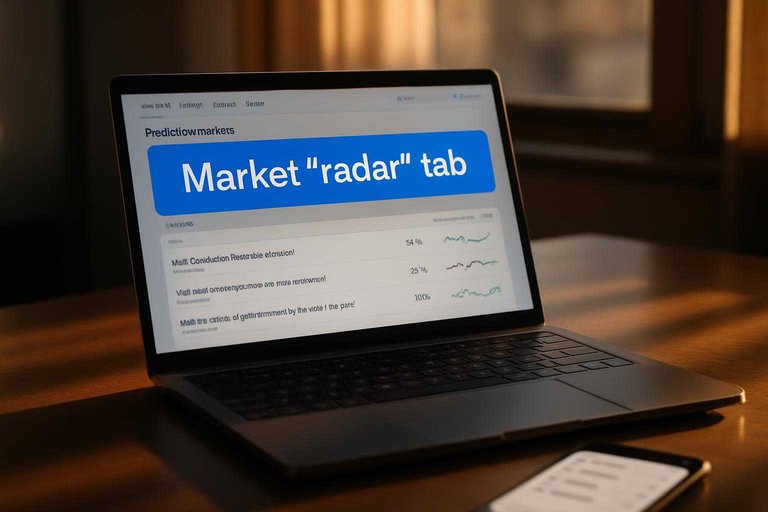
Think of it like a market “radar” tab you keep open while you decide what deserves deeper research. The workflow is usually browse, narrow, open a few candidates, then verify the important details on the source platform.
Best-fit use cases
Oddpool shines when your goal is fast discovery, not deep quant comparison. It’s especially useful when you already know the general themes you care about.
For example, you might skim politics markets, open three similar questions, and keep one to watch. Quick judgment. Then you move on.
If you need cross-platform live odds aggregation, trending feeds, and comparison tables, you’ll outgrow this style and want a dedicated aggregator like MarketsPrediction.
Workflow walkthrough
A typical Oddpool session is short and repeatable.
- Open Oddpool in a browser tab.
- Browse the market list for current questions.
- Filter or narrow by what you care about.
- Open a market you might trade or track.
- Validate rules and pricing on the source platform.
The habit to build: treat Oddpool as your shortlist builder, not your final source of truth.
Potential limitations
Oddpool can be a great “front door,” but you should verify a few tradeoffs.
- Coverage gaps across platforms or categories
- Update cadence lag versus native apps
- Limited filtering and sorting depth
- Weak exports or watchlist portability
- Few comparison views between platforms
If two or more of these block you, you’re really asking for an aggregator or comparison layer, not a browser.
EventQuant Overview
EventQuant positions itself as a quant-leaning companion for prediction markets. You use it when you care less about browsing and more about measuring. The core strength is turning market activity into trackable signals you can revisit.
Best-fit use cases
EventQuant fits when your workflow starts with data, not headlines. It’s a good match for traders and researchers who want structured tracking across many markets.
You’ll get the most value when you:
- Scan lots of markets for anomalies
- Track specific events over time
- Compare movements across related markets
- Maintain watchlists with consistent metrics
If you think in spreadsheets, EventQuant tends to feel natural.
Workflow walkthrough
A typical EventQuant loop is simple, but it’s signal-first. You’re trying to quantify what changed, then decide if it matters.
- Find an event or market you care about.
- Inspect market details and recent changes.
- Compare signals across similar markets or outcomes.
- Add candidates to watchlists for ongoing tracking.
- Review movements later and re-rank priorities.
The advantage is continuity: you stop “rediscovering” the same markets every day.
Potential limitations
EventQuant’s strengths come with tradeoffs. Most are about usability versus depth.
- Learning curve for metrics-heavy views
- UI speed under dense market lists
- Platform breadth for cross-venue scans
- Filtering UX for quick narrowing
- Comparison framing across markets
If you need fast cross-platform price checks, you may want a dedicated aggregator alongside it.
Head-to-Head Comparison
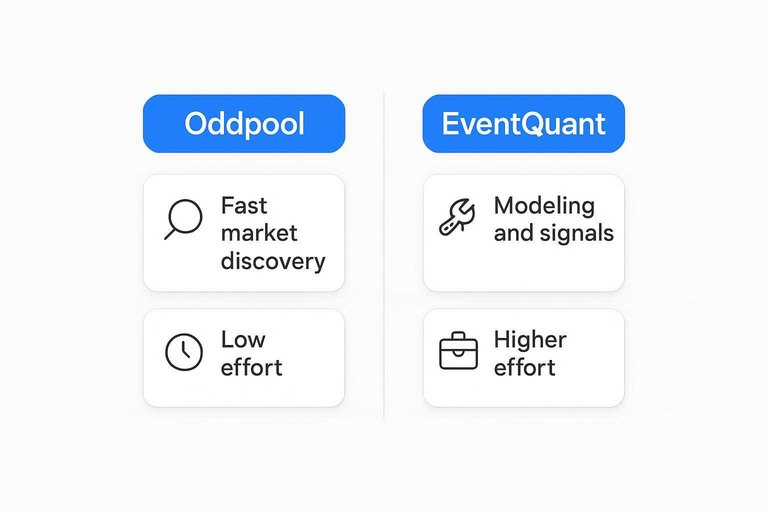
You’re choosing between two workflows: a scanner that helps you notice opportunities, or a quant stack that helps you repeat decisions.
Pick the tool that matches how you actually trade.
Here’s a side-by-side view of what typically matters for cross-platform scanning.
| Criteria | Oddpool | EventQuant | Who it fits |
|---|---|---|---|
| Core purpose | Fast market discovery | Modeling and signals | Different starting points |
| Cross-platform scanning | Varies by integrations | Usually DIY connectors | Multi-venue traders |
| Live odds aggregation | Limited or partial | Possible, not default | Price shoppers |
| Volume and liquidity view | Sometimes surfaced | Often computed | Execution-minded users |
| Filters and categorization | Basic discovery filters | Custom, if built | Routine scanning |
| Trending markets feed | Discovery oriented | Not always included | “What’s moving?” users |
| Alerts and watchlists | Common feature | Depends on setup | Monitoring workflows |
| Decision repeatability | Light heuristics | Strong, systematic | Process-driven traders |
| Transparency and audit trail | UI-level history | Backtests and logs | Explainable decisions |
| Setup and maintenance | Low effort | Higher effort | Time-constrained teams |
Where Each Wins
Coverage and freshness
Oddpool tends to win when you want broad, lightweight scanning across many venues. EventQuant often feels stronger when you care about consistent update behavior and fewer “is this still live?” moments.
Before you rely on either, confirm three things: which sources are included, how often odds refresh, and how stale markets are flagged or removed. A scanner is only useful when you trust what’s current.
Discovery and trending
Oddpool is usually the better fit when you want a fast sense of what people are talking about. EventQuant often shines when you prefer a more structured view of new listings and market context.
Look for how each tool defines “trending,” how quickly brand-new markets appear, and whether highlights are editorial or purely activity-driven. If “hot” is vague, you’ll chase noise.
Filtering and navigation
Filtering decides whether scanning stays fun or turns into tabs and spreadsheets.
- Category and topic tags
- Platform selector and multi-platform view
- Event type and resolution rules
- Time horizon and closing date
- Liquidity/volume and search quality
If you can’t narrow fast, you won’t scan fast.
Comparison workflow
Oddpool is often best when you want quick links out and minimal friction to jump platforms. EventQuant can be better when you want a cleaner, more deliberate comparison flow.
Either way, the workflow to test is simple: can you see odds side-by-side, click through to execute, and verify you landed on the exact market. That last step is where most “comparison” tools quietly fail.
Power-user features
Power users care less about pretty feeds and more about control.
- Alerts for price, volume, or listing changes
- Watchlists with notes and grouping
- Export tools or API access
- Custom views and saved filters
- Sharing links and collaboration
If both tools feel light here, MarketsPrediction can be a practical third option for scanning: live cross-platform odds aggregation, trending feeds, category and platform filters, top-by-volume lists, and platform comparison tables like deposit methods and payout speed.
Third Option: MarketsPrediction
What it does
You might like Oddpool’s focus or EventQuant’s workflows, yet still feel blind across venues. MarketsPrediction is built for discovery first, with cross-platform scanning as the default.
It aggregates live odds across multiple prediction platforms, including Kalshi and Polymarket. You also get volume and liquidity visibility, so you can see where trading is actually happening.
When prices look similar, liquidity is usually the tie-breaker.
Why it’s relevant
Oddpool and EventQuant can be strong inside their lanes, but gaps show up when you’re scanning broadly. MarketsPrediction targets the “find it fast” layer that often sits above your actual trading stack.
- Trending markets feed for quick discovery
- Category filters to reduce noise
- Platform filters to compare venues cleanly
- Top-by-volume lists for active markets
- Faster cross-venue scanning in one view
If you’re hopping tabs to answer basic questions, you’ve found the gap it fills.
How to evaluate it
Treat it like a front door, not a replacement. Your goal is to confirm coverage, speed, and usefulness for your own scanning habits.
- Check supported platforms you actually use, plus the ones you watch.
- Test category and platform filters on a busy news day.
- Verify refresh behavior by watching odds and volume change in real time.
- Compare platform tables for deposit methods, minimum deposit, and payout speed.
If it reliably gets you to the right market faster, keep it in your daily loop.
Make Your Pick, Then Validate It in One Real Scanning Session
- Choose Oddpool if your priority is broad discovery and a straightforward workflow for finding markets across platforms without lots of setup.
- Choose EventQuant if you want a more analysis-forward experience and expect to rely on deeper filters or power-user features during frequent scans.
- Shortlist MarketsPrediction if your day-to-day need is live cross-platform odds, volume/liquidity signals, trending feeds, and fast platform comparison (e.g., deposit methods, minimum deposit, payout speed).
- Validate in 15 minutes: run the same scan (one category + one breaking topic), save/bookmark your candidates, and see which product gets you from “What’s moving?” to “Where’s the best price and activity?” with the fewest clicks and least ambiguity.
Frequently Asked Questions
- Is Oddpool vs EventQuant for cross-platform prediction market scanning mainly about price discovery or workflow differences?
- Mostly workflow differences. Both aim to help you scan markets across platforms, but the better choice usually comes down to how you prefer to filter, compare, and act on market signals day to day.
- Do I need to connect exchange accounts or use API keys to do cross-platform prediction market scanning with Oddpool or EventQuant?
- Not always. Many scanning workflows work with public market data, but deeper automation or custom monitoring often requires an API—check each tool’s integration requirements before you rely on it for alerts or exports.
- How do I measure whether Oddpool or EventQuant is improving my cross-platform scanning results?
- Track whether you spot actionable mispricings earlier and more consistently: log the time-to-detection for new opportunities, the repeatability of your filters, and whether your shortlist produces better follow-through decisions over weeks, not days.
- Can I use Oddpool and EventQuant together for cross-platform prediction market scanning?
- Yes. Many users pair a discovery-first scanner with a quant/track-and-review workflow, using one tool to surface candidates and the other to monitor, annotate, and standardize decisions.
- What should I do if a platform or market category isn’t covered well by Oddpool or EventQuant?
- Use a third-party discovery layer (like a comparison-focused tool) and maintain a manual watchlist fallback. The practical fix is to combine broader source coverage with a consistent process for validating liquidity, spreads, and settlement rules on the native platform.